
How to Use ChatGPT for SEO Content Planning & Strategy?

ChatGPT can be a very useful tool for SEO, but it does not do SEO on its own. Its real strength shows up in the three parts of the process that usually slow teams down the most: research, planning, and content production. Instead of replacing strategy, it helps you move through the work with more clarity and less friction.
You can use it to sort scattered ideas, understand search intent, organize topic clusters, shape content angles, and turn rough notes into a workable outline. It is like having a smart second set of eyes that helps you connect ideas faster and work with more focus. The real value still depends on how well you guide it, review it, and apply SEO judgment to the final output. When used the right way, ChatGPT saves time, improves direction, and helps create content that feels more useful for both readers and search engines.
ChatGPT for SEO Research: Benefits & Limitations
ChatGPT can make SEO research feel a lot less messy, but it works best when you use it for the right jobs. It is strong at speeding up thinking, organizing information, and helping you move from loose ideas to structured direction. It is not the final word on fresh facts, live market shifts, or exact SEO truth. That is where many people get it wrong.
Where Chatgpt Helps Most

1. Understanding a topic faster
When you are stepping into a new topic, ChatGPT helps you get your bearings quickly. It can explain the subject in plain language, break down the main ideas, and show you how the topic connects to real search behavior. Instead of staring at ten tabs with no direction, you get a starting map.
2. Gathering subtopics & related entities
Strong SEO content is not built around one keyword alone. It needs the surrounding context too. ChatGPT helps you uncover related subtopics, connected terms, common problems, product types, audience needs, and the names that matter in the space. This gives your content more depth and better topical coverage.
3. Spotting audience questions
People do not always search for neat keyword phrases. They search with doubts, comparisons, frustrations, and half formed questions. ChatGPT is useful for pulling out the questions readers may ask before buying, before trusting, or before moving to the next step.
4. Mapping beginner & expert intent
One of the biggest research mistakes is treating every reader the same. A beginner wants clarity and basics. An expert wants depth, nuance, and stronger detail. ChatGPT helps separate those layers so your content does not talk over one reader or bore the other.
5. Summarizing competitor patterns
You can use ChatGPT to review what competing pages tend to cover, what angles they repeat, what sections show up often, and where the content starts sounding the same. This helps you see the pattern without drowning in it.
6. Turning scattered notes into structured research
This is where ChatGPT really earns its place. If your notes are spread across documents, tabs, screenshots, and random thoughts, it can help organize them into themes, content gaps, reader concerns, and usable direction. It turns chaos into something you can actually write from.
Where ChatGPT Falls Short
Do Not Assume Freshness
ChatGPT does not always reflect live SERP changes or recent updates. You must confirm results when dealing with algorithm shifts, news pricing or new features.
Facts Still Need Verification
ChatGPT helps explain and summarize information. It should not act as the final source for data statistics or claims. Always verify important numbers from original sources.
It Can Hide Important Differences
ChatGPT may have smooth patterns that look similar. In SEO small differences in intent wording or SERP layout can change the entire content strategy.
Confidence Does Not Equal Accuracy
ChatGPT can sound certain even when proof is missing. Strong SEO research depends on judgment validation and context not speed alone.
What Readers Should Remember
The use of ChatGPT helps to perform SEO research because it enables users to learn information at a faster rate while they create better organization systems and develop improved cognitive abilities. The system should not be used as an absolute trustworthy source during periods when information needs to remain current or when actual data requires validation or when operational systems undergo modifications. The tool enables users to conduct multiple activities which include developing their understanding and establishing their findings and creating their final results. The system becomes its most useful which enables users to achieve their intended outcomes.
How ChatGPT Turns SEO Research Into a Clear Content Plan?
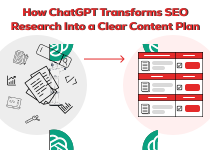
The majority of teams succeed in generating new ideas. The team members face difficulties in transforming their unorganized research findings into usable content. The most effective assistance from ChatGPT provides users with tools which produce content through various methods. The platform takes unrefined research outcomes and unorganized research documents and unorganized research documents and disconnected research notes and transforms them into an organized content development document.
Topic clusters
ChatGPT can group related ideas together so you can see which topics belong under one main theme instead of treating every keyword like a separate page.
Pillar & support pages
It helps you decide what should become a broad main page and what should branch out as supporting content around it.
Content calendars
Once the topics are clear, ChatGPT can organize them into a practical publishing flow based on priority, intent, or topic relevance.
Article angles
A topic may be good, but the angle may feel weak. ChatGPT helps turn broad ideas into sharper article directions that feel more useful to readers.
Internal linking opportunities
It can also show how pages connect, so you can plan internal links early instead of forcing them in after writing.
FAQs & supporting entities
ChatGPT helps pull out common questions, related terms, and supporting entities that make the content feel more complete and better organized.
Using ChatGPT to Identify Intent Gaps, Not Just Keyword Gaps
Many pages target the keyword but still miss the mark because they do not answer what the user really needs. That is where ChatGPT can help. It helps you look past the keyword and understand the thinking behind the search.
What the user is trying to decide
A keyword may look simple on the surface, but the user may actually be trying to choose, fix, compare, learn, or avoid something. ChatGPT helps uncover that real decision point.
What comparison they need
Some users are not looking for a general answer. They want to compare options, methods, tools, services, or outcomes before they move forward. ChatGPT helps surface those missing comparison points.
What objections they have
Many pages explain the topic but ignore the doubts in the reader’s mind. ChatGPT can help identify common concerns, hesitations, and trust issues that need to be answered clearly.
What proof they expect
Users often need more than claims. They may look for examples, results, use cases, expert backing, or simple evidence before they trust the page. ChatGPT helps you spot where proof is missing.
What proof they expect
Users often need more than claims. They may look for examples, results, use cases, expert backing, or simple evidence before they trust the page. ChatGPT helps you spot where proof is missing.
What level of detail they can handle
Not every reader wants the same depth. Some need a basic explanation, while others expect deeper insight. ChatGPT helps you match the content to the reader’s knowledge level.
The real win here is simple. Keywords bring people to the page, but intent is what helps the page actually work.
How to Use ChatGPT for Outlines That Are Actually Rankable
A good SEO outline is not a list of headings. It is a response architecture.

Use ChatGPT to make sure your outline includes:
Entity coverage
Cover the main topic, closely related terms, and important supporting entities.
Logical section order
Move from basics to depth in a way that feels natural to the reader.
Definitional clarity
Explain what the topic is before going deeper into strategy, steps, or details.
Examples
Add real examples that make the point easier to understand and trust.
Objections
Include the doubts, fears, or questions a reader may have before taking action.
Proof points
Bring in evidence, use cases, data, or practical reasoning where the reader needs reassurance.
Summary takeaways
End sections with clear takeaways so the reader leaves with direction, not confusion.
ChatGPT for Drafting Content Without Sounding Generic
ChatGPT is useful for drafting, but only when you guide it well. If the prompt is weak, the output usually becomes bland, repetitive, and easy to forget.
First drafts
ChatGPT can help you get the first version on the page faster, especially when you already know the angle and structure.
Rewriting weak sections
If one part feels dull or unclear, ChatGPT can help reshape it into something stronger and easier to read.
Simplifying dense explanations
It works well when a section feels too technical and needs to sound clearer for everyday readers.
Improving transitions
ChatGPT can smooth the flow between sections so the article feels connected instead of broken into blocks.
Generating alternative framing
Sometimes the topic is right, but the explanation feels off. ChatGPT can give you another way to present the same idea.
Adapting tone for different funnel stages
A top of funnel reader needs simpler guidance, while a decision stage reader needs sharper clarity and confidence. ChatGPT can help adjust that tone.
Adapting tone for different funnel stages
A top of funnel reader needs simpler guidance, while a decision stage reader needs sharper clarity and confidence. ChatGPT can help adjust that tone.
What actually makes the draft work
Do not let ChatGPT do all the thinking. Give it your research, your angle, your audience context, and your standards. That is what turns a draft from generic into useful.
The Best ChatGPT Workflow for SEO Teams
1. Gather source material
Pull together notes, competitor pages, keyword ideas, audience questions, product details, and any internal inputs.
2. Use ChatGPT to summarize & cluster
Let it sort the mess into themes, patterns, and topic groups.
3. Extract search intents & audience questions
Use it to uncover what users want to know, compare, solve, or decide.
4. Create a content angle
Turn the topic into a clear direction that matches the reader’s needs.
5. Build an outline
Shape the structure in a logical order with the right depth and coverage.
6. Draft with constraints
Guide the draft with tone, audience level, format, and content limits.
7. Fact check & enrich
Review claims, verify facts, and add fresher or stronger source backed detail.
8. Add examples, proof, & brand voice
Make the draft sound real, useful, and clearly yours.
9. Optimize for publishing
Tighten headings, improve flow, add internal links, FAQs, and final on page elements.
What ChatGPT Should Never Be Trusted to Do Alone

This section matters because readers should not walk away thinking ChatGPT can be left on autopilot. OpenAI says users should approach ChatGPT critically and verify important information from reliable sources. Even when search adds fresher answers and source links, editorial review still matters.
Final fact accuracy
Do not publish important claims without checking them yourself.
Current SEO news interpretation
Algorithm news, search updates, and SEO discussions can change fast and often need expert judgment.
Legal or YMYL claims
Topics involving health, money, law, or major life decisions need careful human review.
Original market claims without evidence
If the draft says something is growing, leading, or performing better, it needs proof.
Exact search volume or ranking difficulty claims unless externally validated
Treat these as tool led checks, not something ChatGPT should invent or estimate on its own.
Brand positioning decisions without human review
Your messaging, offer, and market stance should never come from AI alone.
The simple rule is this: sources improve trust, but they do not replace editorial judgment. That is what keeps the content reliable.
Prompt Patterns That Produce Better SEO Outputs

Instead of collecting dozens of random prompts, it is smarter to use a few prompt types that match the job you need done. When the prompt matches the task clearly, ChatGPT usually gives you a better and more usable output.
Topic discovery prompts
Use these when you want ChatGPT to explore a subject more fully, uncover related subtopics, and show what belongs around the main theme. This is useful when you are starting with a broad idea and need to understand the full content space before planning.
Intent mapping prompts
Apply these in order to get a feel of what the reader is actually attempting to accomplish in his/her search. They may want to learn at times, to compare at times and are trying to solve a problem or make a decision at times. These are cues that can assist you in aligning the content with that requirement.
Outline prompts
They should be used where you desire an orderly and clean paper. An excellent outline prompt assists ChatGPT to create parts in the manner that is logical, fits the topic adequately, and simplifies the text to be read by the readers starting with the beginning to the end.
Rewriting prompts
Apply them when a paragraph sounds weak, flat, wordy or difficult. You can also have ChatGPT help you in paraphrasing the same point with a little bit of clarity, a smoother flow, and a natural voice without altering the meaning of whatever you are trying to say.
Content gap prompts
These should be used when you need to find out what the draft still has not included. These are prompts that assist ChatGPT to identify subtopics that are missing, unresolved reader issues, weakly covered or valuable content that your content has not yet reviewed but that has been covered elsewhere by competing pages.
FAQ & objection prompts
Use these to uncover the questions, doubts, and trust issues readers may still have after reading the main sections. This helps you create content that feels more complete because it answers not just the main topic, but also the concerns around it.
SERP interpretation prompts
Use these when you want ChatGPT to help make sense of the search landscape behind a keyword. It can help you understand whether the search intent looks informational, commercial, comparison based, or mixed, which makes it easier to choose the right content approach.
The real point is simple. Better prompt patterns lead to better SEO outputs because they help ChatGPT focus on one clear job at a time.
Why Is Xcodefix the Right Partner for ChatGPT SEO?
ChatGPT works best with a strong operator behind it. It does not replace SEO thinking. It strengthens it when the person using it knows what to ask, what to ignore, what to verify, and what the reader actually needs from the content. That is where the real difference shows. Anyone can generate words, but not everyone can turn them into useful SEO content with clear direction and purpose. When you want ChatGPT for SEO to support real results, you need the right judgment guiding every step, from research and planning to structure and final refinement. That is why Xcodefix is the right team to rely on. As a professional AI SEO specialist for ChatGPT, Xcodefix combines strong SEO strategy, clear content structure, and practical AI use to turn AI assisted work into natural, useful content that performs well.